Interactive Simulations
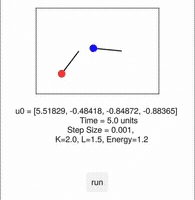
Scripts in this directory uses Makie.jl for interactive simulations. Letting the user fix the initial conditions by placing rotors on the virtual screen and evolving it through live numerical intergration.
| rotor_hamil_order3_simple.jl | sync_phase_plots_lib.jl | sync_relative_phase_lib.jl |
|---|---|---|
 |
 |
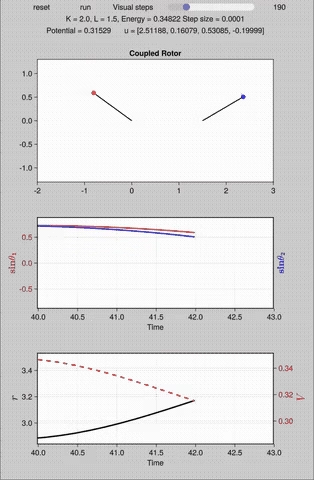 |
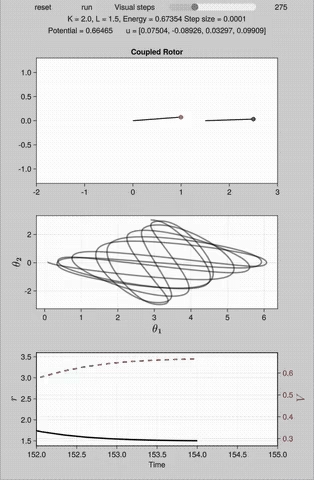
| The interaction is via "run" button to start the evolution. The parameter are adjusted on the script. Drawing a line on the rotor area, updates the initial condition on the go. | Similar to the simple evolution script but add subplots for phase space trajectory and evolution of potential vs distance between the rotor ends. Along with live initial condition alteration, there is an additional interactive element called [visual steps][^vs]. | The script replaces the phase trajectory subplot with relative phases. This subplot along with rotor distance vs potential evolution plot, helps to distinguish Libration types. For instance, in Type I libration maxima of r, v coincide at the time while in Type II minima of r coincides with maxima of V. |
[^vs]: Makie by default updates the figures after performing calculation using the preset step_size (aka. integration steps). For this dynamical system, step_size is usually set < 10^-4 but this has drawbacks of slow visual evolution on the Makie generated figure. To overcome this without compromising the validity of evolution, a new slider for visual steps is introduced. This performs x amounts of visual_steps in the background and updates the figure after it. This way the integration steps are still the same, but calculations run in the background to update the figure. On the machine tested, having a visual_steps>450 (for step_size=10^-4) creates a pause to update the figure due to large no of calculations running behind.